

This step-by-step guide outlines the essentials for monitoring your home security remotely, catering to the growing need for homeowners to safeguard their properties against rising crime rates. It covers key components such as selecting a reliable security system, setting up cameras and sensors, using mobile apps for real-time alerts, and integrating smart home technology for enhanced surveillance. By following these instructions, you can effectively monitor your home from anywhere, ensuring peace of mind whether you are at home or traveling.


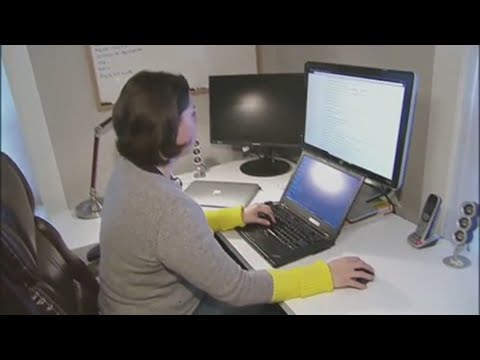
Methods Employers Use to Track Remote Employees
Assess Your Security Needs
Evaluate your home by walking around both the interior and exterior, noting any vulnerable areas such as entry points, windows, and garages. Consider your budget and the size of your home to determine how many cameras or security systems you can afford. Assess the level of security you desire—think about whether you want basic monitoring or a more comprehensive system with alarms and alerts. Prioritize the areas that feel most at risk, ensuring that your security measures align with your needs and preferences.
Choose the Right Security System
Research home security systems that provide remote monitoring capabilities. Focus on options that include essential features like high-quality cameras, reliable alarms, and user-friendly mobile app access. Compare different brands and read customer reviews to ensure you choose a system that fits your needs. Prioritize systems that allow you to receive real-time alerts and view live footage from your smartphone, giving you peace of mind wherever you are.
Install Your Security System
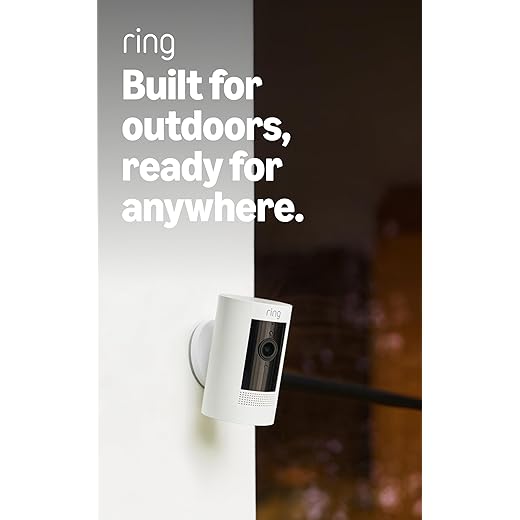
Follow the manufacturer’s instructions carefully to ensure that you install the security hardware correctly. Read through the entire installation manual before beginning, as it will provide valuable insights and details specific to your system. Position cameras strategically to cover all critical areas of your property, such as entry points and large open spaces. Adjust the angles of the cameras after mounting them to eliminate blind spots and maximize coverage.
Set Up Remote Access
Create an account with your security system provider by visiting their website and clicking on the sign-up option. Download the mobile app associated with your security system from the App Store or Google Play. Open the app and follow the prompts to link your security system to your newly created account, ensuring you enter any necessary credentials or setup information as requested. Confirm that your devices are connected and functioning properly for seamless remote access.
Configure Notifications
Open the mobile app and navigate to the settings menu.
- Select the “Notifications” option to access your alert preferences.
- Enable real-time alerts by toggling the switch to the “On” position.
- Customize your notification types by checking the boxes for security breaches and unusual activity.
- Adjust the sound and vibration settings to ensure you don’t miss any important alerts.
- Save your changes to activate your updated notification preferences.
Test Your System
Run tests on your security system regularly to ensure all components are functioning properly. Access your security app or software, and check that you can view live feeds from each camera. Verify that motion sensors are responding by walking in front of them and confirming that notifications are sent to your phone. Test the alarm system by triggering it manually, if possible, to ensure it alerts you and any monitoring service effectively.
Regularly Update Your System
Ensure your security system software and firmware is updated regularly. Check for updates at least once a month or set automatic updates if available. Install any patches or upgrades promptly to protect against vulnerabilities. Monitor the performance of your system after updates to notice improvements and ensure everything runs smoothly.
Monitor Your Home Remotely
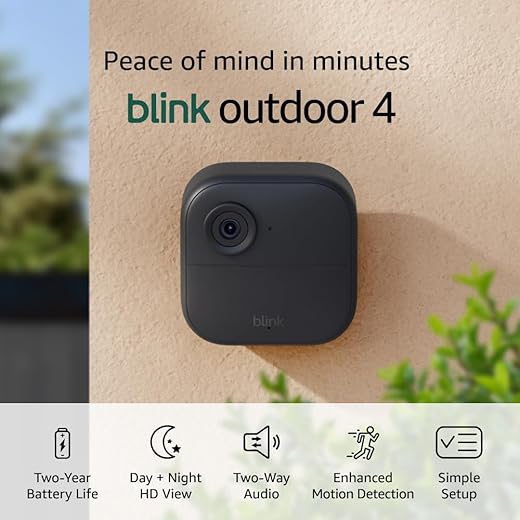
Open the mobile app on your smartphone to access live feeds from your security cameras. Tap on the camera icon to view real-time video, allowing you to check on pets or see who is at your door. Set up alerts in the app’s settings to receive notifications for any movement detected, ensuring you stay informed about any activity while you’re away. Review recorded footage by selecting the playback option, so you can catch up on any events you might have missed.
Review Footage and Alerts
Review recorded footage and alerts regularly. Check for any unusual activity or patterns that may indicate vulnerabilities in your home security system. Analyze the timestamps and locations of alerts to pinpoint areas that may require additional monitoring or equipment. Take notes on any identified weaknesses and plan necessary improvements to enhance your overall security.
Ensuring Peace of Mind
In conclusion, by implementing these strategies, I can easily keep an eye on my home security from anywhere. Utilizing technology and smart devices not only enhances my peace of mind but also ensures that my property stays safe and secure at all times. With the right tools and practices, remote monitoring becomes a straightforward and effective way to protect what matters most to me. Happy monitoring!
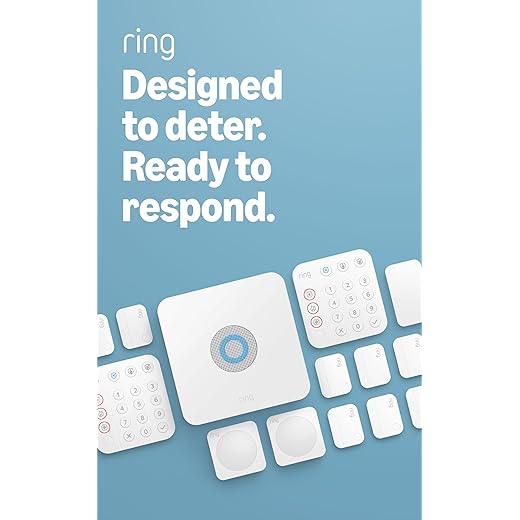
Essential Equipment List
Remote Surveillance Simplified
Step-by-Step Guide to Maximizing Your Home Security Package
- Choose the Right Package: Start by assessing your needs. Look for a package that includes essential components like cameras, motion detectors, and alarms that fit your home’s layout
- Follow Installation Instructions: Most packages come with easy-to-follow installation guides. Take your time to ensure that all devices are set up correctly, whether you’re mounting cameras or placing sensors
- Connect to Your Smartphone: Most modern security systems allow you to connect to a smartphone app. Download the app and follow the setup instructions to monitor your home remotely
- Customize Your Settings: Once everything is set up, customize your security settings. Adjust motion sensitivity, create alerts, and set up schedules to optimize your security system
- Regularly Test Your System: Make it a habit to regularly test your system to ensure everything is functioning properly. This includes checking cameras, sensors, and alarm sounds
- I hope you find these tips helpful! Staying secure at home is super important!
Explore Our Comprehensive Home Security Solutions
When considering a home security package, choosing between a monitored and an unmonitored system comes down to several key advantages.
- Immediate Response: With a monitored system, there’s a direct line to emergency services. If an alarm is triggered, the monitoring center can immediately dispatch the police, fire department, or medical assistance, ensuring a rapid response. In contrast, an unmonitored system relies on you or a neighbor to take action, which can lead to delays.
- 24/7 Surveillance: Monitored systems provide round-the-clock surveillance, even when you’re not home. This constant oversight can add an extra layer of security, as trained professionals are watching for any unusual activity. Unmonitored systems don’t offer this level of vigilance.
- Peace of Mind: Knowing that there’s someone watching over your home can significantly reduce anxiety. With a monitored system, I feel reassured that help is just a call away if something goes wrong, whereas an unmonitored system may leave me feeling more vulnerable.
- Additional Services: Many monitored systems come with extra features like smartphone alerts, remote access to monitor your home, and integration with other smart home devices. This added functionality can enhance my overall security experience.
- Insurance Benefits: Some insurance companies offer discounts on homeowners’ insurance premiums for having a monitored security system. This can help offset the cost of the monitoring service. In contrast, unmonitored systems may not provide the same financial benefits.
Overall, while unmonitored systems can be a cost-effective option, the advantages of having a monitored home security package often make it worth the investment for the added security and peace of mind it provides.
If you experience a false alarm with your home security system, here are a few steps you can take:
- Stay Calm: First, take a deep breath. False alarms can be stressful, but staying calm will help you handle the situation better.
- Check the System: Look at your security system’s control panel or app to see if it provides any information about the alarm. Sometimes, it can indicate which sensor was triggered.
- Inspect the Area: Go to the area where the alarm was triggered and check for any obvious signs of trouble, such as an open door or a window.
- Reset the System: If you confirm there’s no threat, reset your alarm system according to the manufacturer’s instructions. This usually involves entering a code or pressing a reset button.
- Contact Your Security Provider: If false alarms happen frequently, it may be worth contacting your security provider. They can help troubleshoot the issue or suggest adjustments to minimize false alarms.
- Review Your Settings: Sometimes, false alarms are caused by overly sensitive sensors or incorrect settings. Reviewing these can help prevent future incidents.
- Educate Your Household: Make sure everyone in your home knows how to use the system properly to avoid accidental triggers.
- Check for Maintenance Needs: If the problem persists, check if your system requires maintenance or updates, especially if it’s an older system.
Remember, false alarms can happen, but staying on top of your system and knowing how to respond can help keep your home secure and your mind at ease!